

Description
Sell digital products on WordPress
Avenia Digital Products is a standalone WordPress ecommerce plugin built for digital downloads: ebooks, templates, design assets, photography, software zips, and more. Unlimited products, unlimited orders, no marketplace listing fees. Cart, checkout, and protected file delivery are included. You do not need another ecommerce plugin.
This is the Lite edition of the plugin: a complete digital download store with Stripe and PayPal, cart and checkout, customer accounts, protected downloads, discount codes, and transactional emails.
View the live demo
Read the documentation
What’s in the store
Create products, set prices, connect Stripe or PayPal, and publish. Includes:
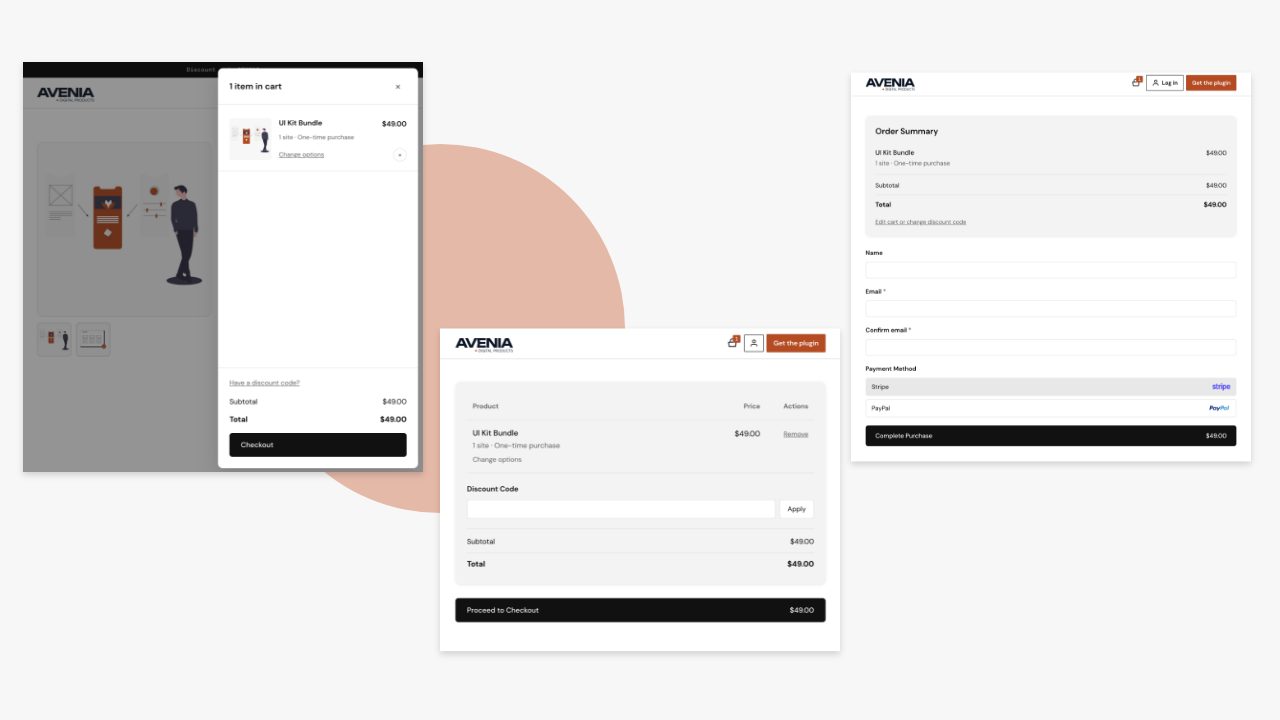
- Shopping cart and checkout
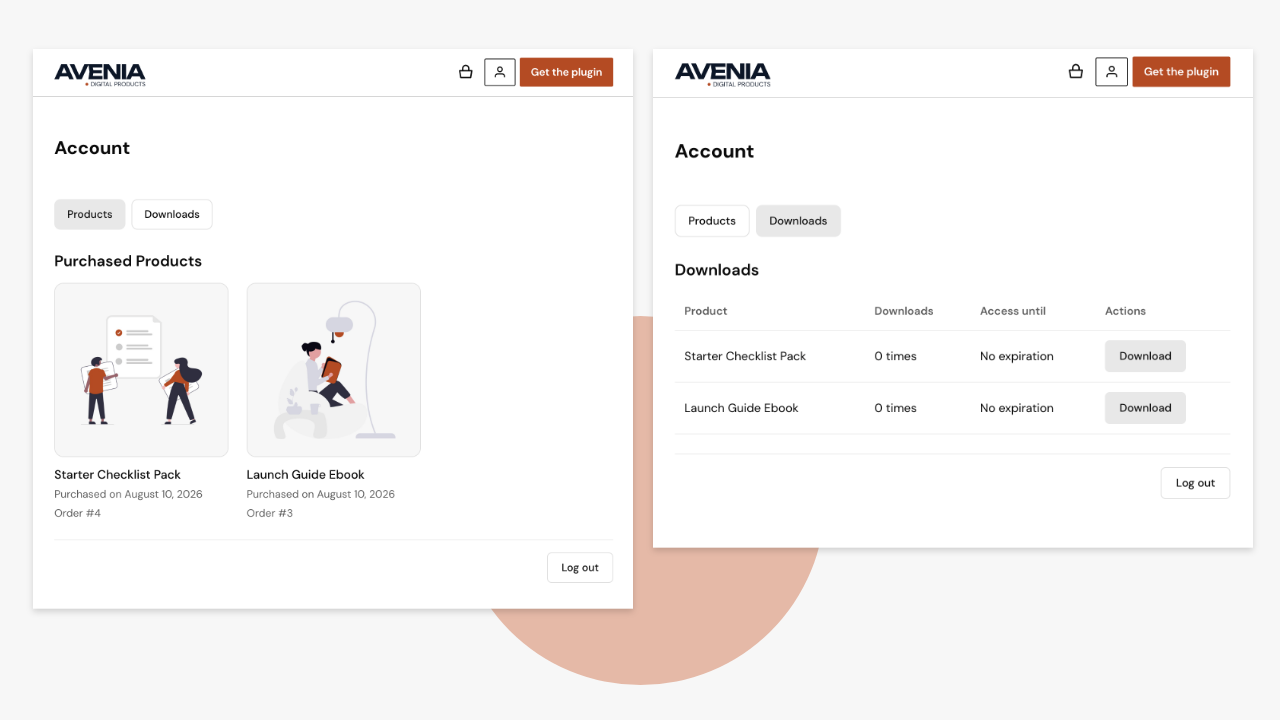
- Customer accounts and purchase history
- Secure download delivery after payment
- Discount codes and tax settings
- Orders and customers in the admin
- Dashboard sales summary
- Simulate / sandbox / live payment modes for testing before you go live
Payments with Stripe and PayPal
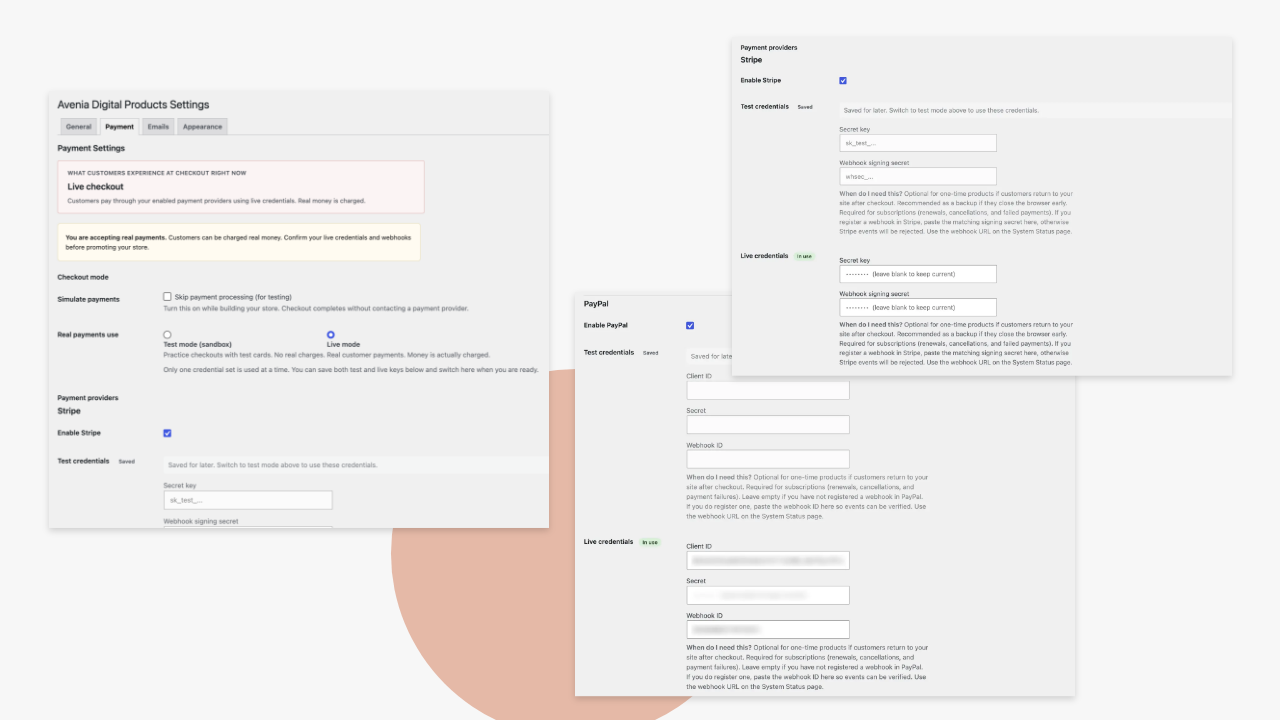
Accept payments with Stripe and PayPal. Use simulate while building your store, sandbox for test checkouts, then switch to live when you are ready. Credentials for test and live can be saved and switched from settings.
Flexible pricing for digital products
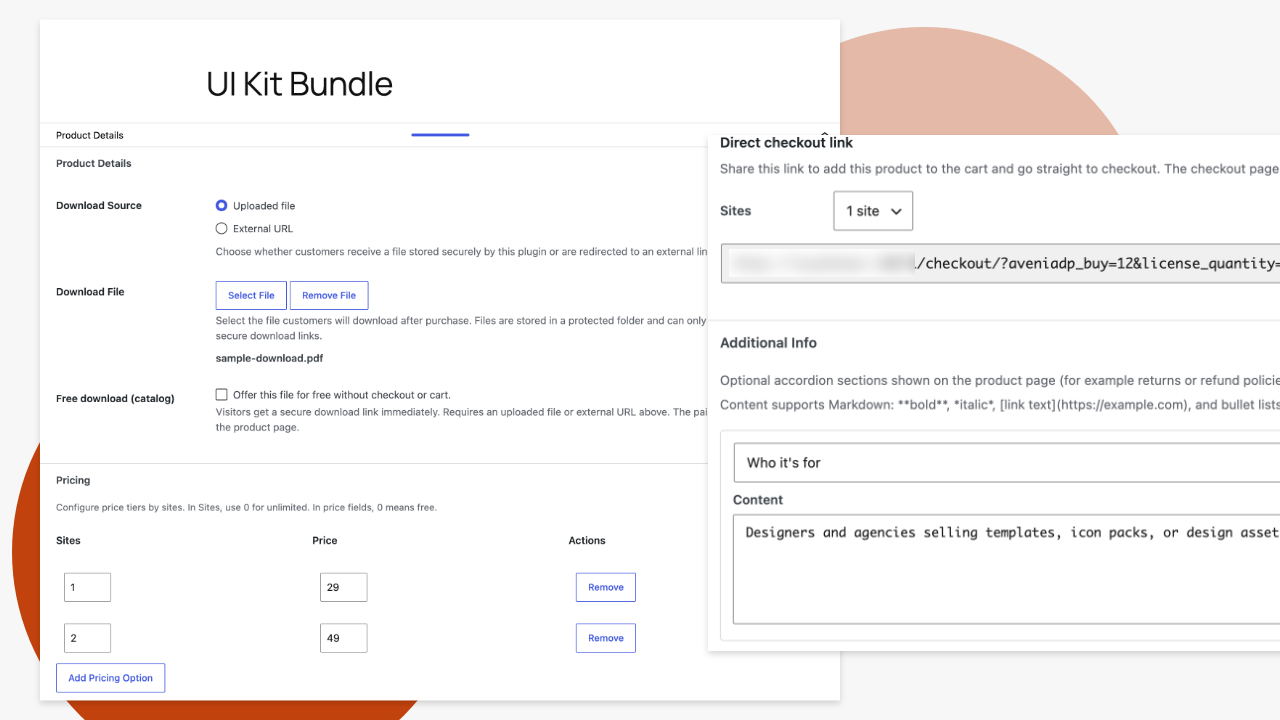
Sell downloads with a pricing matrix, useful for quantity or multi-site price tiers on the same product. Offer free downloads when you want lead magnets without checkout. Paid products use cart and checkout; free downloads can optionally collect an email.
Checkout and storefront
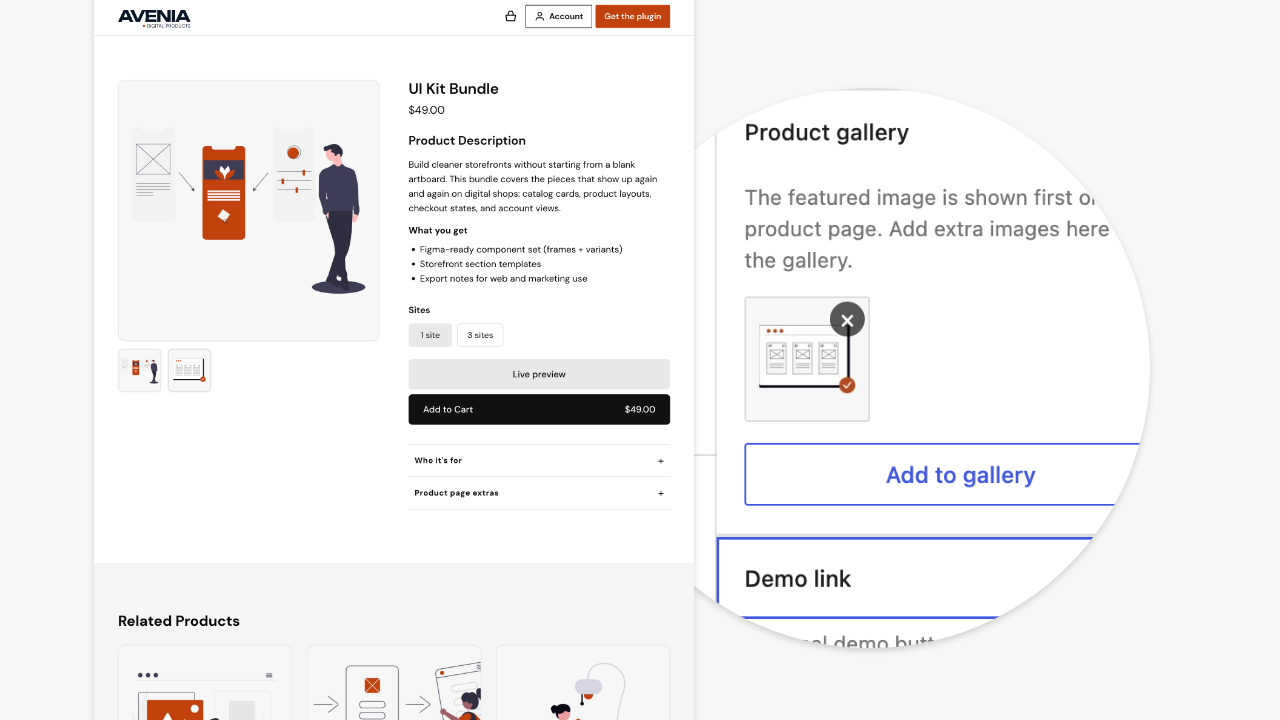
Cart and checkout pages, product pages with gallery and demo links, related products, and appearance controls so the store can match your theme.
Blocks and shortcodes
Products and cart icon blocks (and matching shortcodes) let you place the catalog and cart where you need them in the block editor.
Protect your digital downloads
After purchase, customers receive protected download access through the plugin, not a public media URL. Manage orders and customers from the admin; revoke access when needed.
Customer accounts and emails
Customers can access purchases from My Account. Order confirmation, account confirmation, and download-link emails are included (customizable in settings).
Built for creators
Use it to sell:
- Ebooks, PDFs, and digital guides
- Templates and design assets
- Photography and digital art
- Audio or video files
- Software zips and other digital files
Full version (sold separately)
Full includes everything here, plus:
- Sell WordPress plugins, themes, and other software with license keys and the license REST API, plus automatic plugin and theme updates
- Subscription products (including trials and setup fees)
- Customer subscription cancel and restart
- Manual order creation / assigning products to customers
- Reports with CSV export
- Related emails (license key, subscription renewal, payment failed)
- Priority support
Privacy
This plugin stores order and customer data on your WordPress site so you can fulfill downloads: customer name, email, order contents, payment status, and download access. Checkout can create a customer account. Order confirmation, account confirmation, and download-link emails are sent from your site. Free downloads can optionally collect an email before delivery.
When sandbox or live payments are enabled, order details (and optionally the customer’s email) are sent to Stripe or PayPal to process payment. See External services below. Simulate mode does not contact a payment provider.
This plugin does not send store data to the Avenia Digital Products website.
External services
This plugin can connect to Stripe and PayPal so your store can accept payment for digital products. No payment provider is contacted while Simulate payments is enabled; sandbox and live modes use the provider APIs below.
Stripe
Stripe is used for hosted Checkout when a customer pays with Stripe (sandbox or live).
When a paid order is placed, the plugin sends order details to Stripe to create a Checkout Session: line items (product name, amount, currency), your local order ID, success and cancel URLs on your site, and optionally the customer’s email. When the customer returns from Stripe (or via webhook), the plugin retrieves or receives session/payment status to confirm the order. Optional webhooks may send payment event data to your site so orders can complete if the browser return is missed.
This service is provided by Stripe: Terms of Service and Privacy Policy.
PayPal
PayPal is used for hosted PayPal checkout when a customer pays with PayPal (sandbox or live).
When a paid order is placed, the plugin requests an OAuth access token with your PayPal Client ID and Secret, then creates a PayPal order with the order total (amount and currency), your local order ID, and return/cancel URLs on your site. When the customer returns from PayPal, the plugin captures or verifies the payment and completes the order. This version does not register or receive PayPal webhooks.
This service is provided by PayPal: User Agreement and Privacy Statement.
Screenshots
Blocks
This plugin provides 2 blocks.
- Cart Icon Cart icon button that opens the side cart drawer and shows the number of items.
- Products Display a grid of Avenia Digital Products with filtering and display options.
Installation
- Upload the plugin to
/wp-content/plugins/avenia-digital-products/or install via Plugins Add New - Activate the plugin through the Plugins menu in WordPress
- Configure pages and payment settings under Avenia Digital Products Settings. Start in simulate mode, then connect sandbox or live when you are ready
- Create your first product and set a price (or enable free download)
FAQ
-
Where can I see a demo?
-
Is this free forever?
-
Yes. This version stays fully usable for digital downloads with no trial timer. Full is optional if you need subscriptions, product license keys, reports, and other Full features.
-
Does the plugin charge transaction fees?
-
No listing fees and no per-sale fee from this plugin. Stripe and PayPal charge their own processing fees.
-
What can I sell?
-
Ebooks, PDFs, templates, design assets, photography, audio or video files, and software zips. Subscriptions, license keys, and WordPress plugin or theme updates are in Full only.
-
How do customers get their files after purchase?
-
After payment, customers get an email with a download link. They can also find purchases on the My Account page. Downloads are protected through the plugin, not a public media URL.
-
Can I offer free downloads?
-
Yes. Enable free download on a product for lead magnets. Checkout is skipped; you can optionally collect an email before delivery.
-
What is the difference between simulate, sandbox, and live payments?
-
Simulate lets you test the store without connecting a payment provider. Sandbox uses Stripe or PayPal test credentials for real checkout flows with test cards. Live accepts real payments. You can save test and live credentials and switch modes in settings.
-
Does it work with the block editor?
-
Yes. Products and cart icon blocks (and matching shortcodes) let you place the catalog and cart in the editor.
-
How do I upgrade to Full?
-
Buy Full from aveniadigitalproducts.com. Deactivate and delete this plugin, install Full, then activate your license key. Do not run both at the same time. Your products and orders stay in the database.
-
Where is the block editor source code?
-
Human-readable block sources live in
blocks/products/index.jsandblocks/cart-icon/index.js(with matchingpackage.jsonfiles). Built assets used by WordPress are in each block’sbuild/folder. To regenerate the built files: install Node.js, then in each block directory runnpm installandnpm run build(@wordpress/scripts).
Reviews
There are no reviews for this plugin.
Contributors & Developers
“Avenia Digital Products – Sell Digital Downloads” is open source software. The following people have contributed to this plugin.
Contributors
Translate “Avenia Digital Products – Sell Digital Downloads” into your language.
Interested in development?
Browse the code, check out the SVN repository, or subscribe to the development log by RSS.
Changelog
1.0.0
- Initial release.